Introducing Playlists
View multiple videos in a row with just a click
By Tim Börjesson
Head of Design|20 February, 2024|3 min read
The playlist feature on KLASH is a game-changer, addressing a critical need for users to effortlessly view and share curated selections of videos within the studio environment. You can drag and drop videos into the playlist, which creates "shortcuts" to the files that are viewable in order within the playlist. Add videos, reorder, comment, and approve multiple videos from one screen. Review sessions don't get simpler than that.
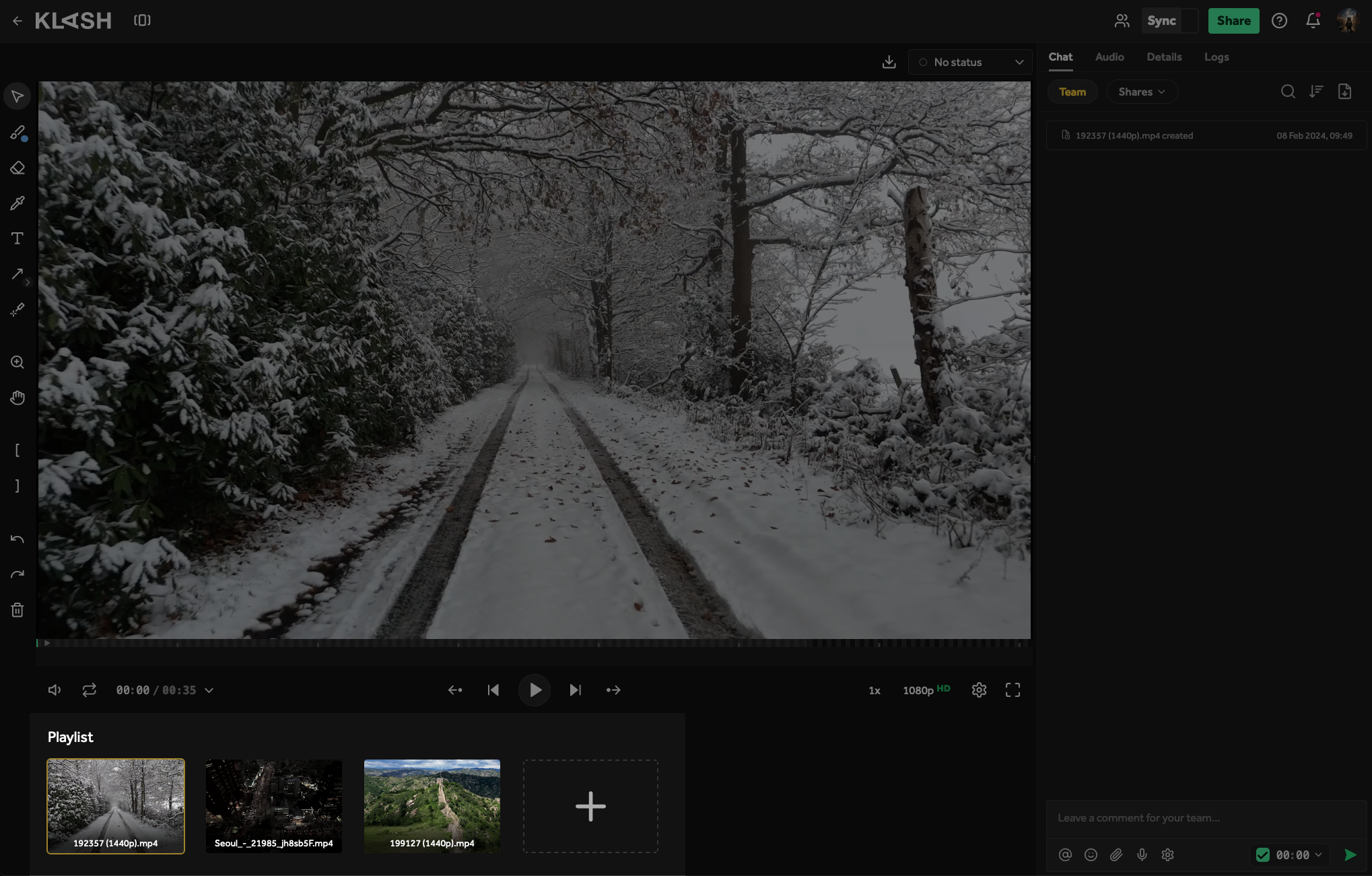
You can create a new playlist through the "New" button or by right-clicking in the project bin.
Playlist overview
In projects, you'll find a new tab called "Playlists". Here you can access and edit all the playlists created within the project and also create new playlists.
Sharing playlists
Ever faced the dilemma of sharing multiple files without disrupting your meticulously organized file and folder structure? Playlists provide a solution by offering a more convenient way to share numerous files with specific users. Simply create a playlist, add the desired files, and voilà! You've created a shortcut, eliminating the need to copy files between projects and folders.
Sync
Collaboration is at the heart of KLASH, and playlists facilitate seamless teamwork. Watch playlists with your team or share them with external users through sync sessions.
Switch between files
We've made a couple of changes to the buttons on the control bar.
Firstly, we've added two buttons that let you switch between files on a whim. Keyboard shortcuts for these buttons include Ctrl + Arrow Keys (Windows) and Command + Arrow Keys (Mac). If you're in a playlist, you can switch between playlist entries using these buttons as well.

Secondly, the "Switch markers" buttons have changed visually to something more fitting: A circle with an arrow. Keyboard shortcuts are Shift + Arrow Keys.
More from us
25 July, 2024 | 7 min
How Culture and Tools Empower Creative Collaboration at Beyond-FX
20 June, 2024 | 2 min
Now Lightning Fast
Six months and half a million lines of code later, we were finally able to launch KLASH new infrastructure with improved performance and speed
5 February, 2024 | 6 min
Behind the Scenes of Antikrundan: SVT's Journey with KLASH Technology
18 January, 2024 | 2 min
New Activity on KLASH
Get notified of activity and never miss a beat with this new Activity feature for all your files!